
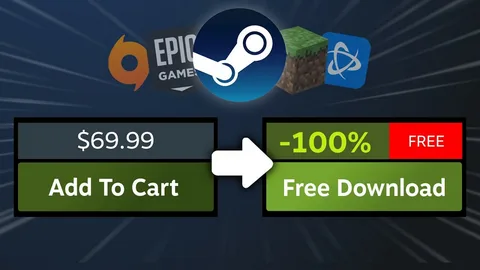


Who says you need a big gaming budget to have fun? There are thousands of free PC games that you can play without paying for the main game. From action and racing games to strategy and multiplayer titles, there is something for almost everyone.
But there is one important thing to remember. Not every website that says “free download” is trustworthy.
The smart way is to find games through official stores, legitimate giveaways, free-to-play programs, and developer websites. Let’s look at the best options step by step.
What Are Free PC Games?
Free PC games are games that you can play without buying the main game.
However, free does not always mean the same thing.
A game may be completely free, free-to-play, available as a free demo, or temporarily free during a promotion.
Here are some common types:
- Free-to-play games
- Permanently free games
- Limited-time giveaways
- Free demos
- Open-source games
- Older games released for free
Some free-to-play games include optional purchases. These may be skins, characters, battle passes, or other items.
You can usually start playing without buying them.
- Try Steam’s Free Games
Steam is one of the first places many PC gamers check.
The platform has a large selection of free-to-play games in different genres. You can browse games, check reviews, see system requirements, and install titles through the Steam client.
You can find:
- Multiplayer games
- Shooting games
- Strategy games
- Racing games
- RPGs
- Casual games
- Indie games
The best part is that you can filter your search based on your interests.
Before installing a game, read its description and check whether it has optional in-game purchases.
- Check Epic Games Store Giveaways
Want to get a normally paid game for $0?
Keep an eye on the Epic Games Store.
Epic regularly runs free game promotions. Its official free-games page includes games that can be claimed during limited-time offers, along with free-to-play titles.
This is a great habit for gamers who want to build a library without spending money.
The trick is simple:
- Visit the official store.
- Check the current free games.
- Read the offer details.
- Claim the game before the promotion ends.
- Add it to your library.
Do not wait too long. A giveaway can expire and return to its normal price.
- Explore Free Games on GOG
GOG is another good place to look for free PC games.
The platform has a collection of games that can be obtained without paying. It is also popular among people who enjoy classic PC gaming.
If you like older games, GOG can be especially interesting.
You can explore its free catalog and look at the game’s requirements before installing anything.
- Look at the Microsoft Store
Windows users have another simple option: the Microsoft Store.
It includes many free games that can be installed directly through the store.
You can check:
- Ratings
- Game descriptions
- Age information
- System requirements
- Available features
- User reviews
Using a recognized store is a better choice than downloading random game files from unknown websites.
- Find Games From Official Developers
Sometimes a developer offers a game directly from its official website.
This is common with smaller indie games and some free projects.
If you find a game through a search engine, check who actually made it.
Is the download page owned by the developer?
Does the website match the official game name?
If yes, it may be a legitimate source.
If the website looks unrelated, be careful.
- Take Advantage of Free Demos
A demo is not always the complete game, but it can still be a great way to play without paying.
Demos let you try part of a game before deciding whether you want to buy it.
This is especially useful when you are not sure if your computer can handle a particular title.
You can test:
- Graphics
- Controls
- Performance
- Gameplay
- Sound
- Overall experience
Think of a demo as a free test drive.
- Search for Free-to-Play Games
Free-to-play games are one of the easiest ways to enjoy gaming without an upfront cost.
You download the game, create an account if needed, and start playing.
Many popular free-to-play games use optional purchases to make money.
These purchases may include:
- Character skins
- Cosmetic items
- Extra content
- Battle passes
- Emotes
Before downloading, check the game’s store page to understand what is included.
A free game does not automatically mean every feature is free.
- Try Open-Source Games
Open-source games can be another interesting option.
Their source code is available for people to study, modify, or contribute to, depending on the project’s license.
Some open-source games are completely free to download and play.
They can be especially useful if you enjoy smaller projects or want to discover something different from big commercial games.
Just make sure you download the game from the project’s official page or a trusted software repository.
- Discover Free Indie Games
Indie developers often create creative games with smaller budgets.
Some release their games for free to build an audience, experiment with ideas, or simply share their work with players.
Free indie games can include almost every genre:
- Horror
- Adventure
- Puzzle
- Platformer
- RPG
- Simulation
- Strategy
Do not judge a game only by its graphics.
A simple-looking game can sometimes be much more fun than an expensive blockbuster.
How to Tell If a Free Game Is Safe
This is one of the most important parts of finding free PC games.
A free game is not worth it if it puts your computer at risk.
Microsoft recommends using trusted sources and keeping security protection enabled when downloading software. Windows also has features that help identify potentially unwanted applications.
Before downloading, ask yourself a few questions.
Where did this file come from?
Is the website official?
Does the game have real reviews?
Does the download look normal?
Why is an expensive game suddenly being offered for free?
If something does not feel right, stop.
There are plenty of safer choices.
Warning Signs of a Suspicious Download
Some websites use fake download buttons or misleading messages.
Be careful if you see:
- Multiple download buttons everywhere
- Constant pop-ups
- Fake virus alerts
- Strange browser redirects
- Unknown software bundled with the game
- Requests to disable antivirus protection
- Password-protected files from unknown sources
- Promises of expensive games with no clear explanation
These signs do not automatically prove that a file is dangerous, but they should make you cautious.
When in doubt, use an official store instead.
Never Disable Your Antivirus Just to Install a Game
This deserves its own section.
You may download a game and receive a security warning.
An unknown website might then tell you to turn off your antivirus.
Do not do this blindly.
Security software is there to protect your computer.
If a download is flagged, check the source and investigate the warning. Do not ignore the warning simply because you want to play the game.
Your PC contains personal files, photos, accounts, and other important information.
One game is not worth putting all of that at risk.
Check Your PC Before Downloading
Finding a free game is only half the job.
You also need to know if your computer can run it.
Check the game’s minimum system requirements.
Look at:
- CPU
- RAM
- GPU
- Windows version
- Storage
- DirectX requirements
For example, if a game needs 8 GB of RAM and your computer has only 4 GB, you may experience poor performance.
Some games may still run below recommended specifications, but the experience may not be smooth.
Minimum vs Recommended Requirements
You will often see two sets of requirements.
Minimum Requirements
These are the basic specifications needed to run the game.
The game may work, but you might need lower graphics settings.
Recommended Requirements
These are stronger specifications suggested for a better experience.
If your PC meets the recommended requirements, you have a better chance of getting smoother gameplay.
For beginners, the simple rule is:
Check the requirements before you download large games.
It can save both time and storage.
How to Get Free Games Without Breaking the Rules
There is a big difference between a legitimate free game and an unauthorized copy.
A legitimate free game may be:
- Offered directly by the developer
- Available through an official store
- Part of a store giveaway
- Released as free-to-play
- Released under an appropriate free or open-source license
An unauthorized copy of a paid game is different.
Avoid downloading cracked or modified copies of paid games.
Apart from copyright concerns, unofficial installers can be risky because you cannot easily verify what has been added to the original game.
If a paid game is too expensive, wait for a sale or look for an official giveaway.
Patience can save you money without creating unnecessary risk.
How to Find Good Free PC Games
There are so many choices that finding a good game can feel difficult.
Start by choosing a genre.
Action
Great if you enjoy fast gameplay and combat.
Racing
Perfect for players who enjoy cars, tracks, and competition.
Strategy
Good for people who like planning and making smart decisions.
Adventure
A good choice if you enjoy stories, exploration, and discovering new places.
Puzzle
Ideal when you want something simple but challenging.
Simulation
Useful for players who enjoy building, managing, or creating things.
Multiplayer
Best if you want to play with friends or other people online.
Once you know your favorite genre, your search becomes much easier.
Read Reviews Before Installing
A game may be free, but that does not mean you will enjoy it.
Spend a few minutes reading user reviews.
Look for information about:
- Game performance
- Bugs
- Controls
- Graphics
- Multiplayer
- Updates
- In-game purchases
Recent reviews are especially useful because a game’s quality can change after major updates.
Gaming Websites Can Help You Discover New Games
You can also use gaming websites to discover new titles, read game information, and find ideas for what to play next.
For example, NEWGAMESZONE can help you explore gaming-related content and discover new titles.
When it is time to download a game, however, always verify the source and use an official store or developer website whenever possible.
Tips for Downloading Free Games on a Slow Internet Connection
Not everyone has a fast internet connection.
If your download is slow, try these simple tips:
- Pause other downloads.
- Close apps using your internet.
- Download during less busy hours.
- Use a wired connection if possible.
- Keep your router close if using Wi-Fi.
- Make sure you have enough storage.
- Avoid restarting the download again and again.
Large games can take hours on a slow connection.
Be patient and let the download finish.
Keep Your Game Launcher Updated
If you use Steam, Epic Games Store, or another gaming launcher, keep it updated.
Updates can improve:
- Security
- Performance
- Compatibility
- Download stability
- Bug fixes
The same idea applies to Windows.
Keeping your operating system and security tools updated is a simple way to maintain a safer gaming setup.
What Should You Avoid?
If you want a safe gaming experience, avoid these shortcuts:
- Pirated game copies
- Cracked installers
- Unknown executable files
- Fake download pages
- Suspicious browser extensions
- Random files from forums
- Websites asking you to disable security tools
Free gaming should be fun.
There is no reason to make it stressful by taking unnecessary risks.
Quick Checklist for Free PC Gaming
Before downloading any game, remember these simple points:
- Use a trusted gaming platform.
- Check whether the game is genuinely free.
- Read recent reviews.
- Check your PC specifications.
- Make sure you have enough storage.
- Download from an official source.
- Keep Windows security enabled.
- Avoid cracked and pirated games.
- Watch out for fake download buttons.
- Check limited-time offers before they expire.
Conclusion
Getting free PC games without paying is easier than many beginners think.
You can explore free-to-play titles, official giveaways, free demos, open-source projects, indie games, and free collections on trusted gaming platforms.
The most important thing is not to rush.
Check where the game comes from, read reviews, compare system requirements, and avoid suspicious downloads. Official stores and developer websites are usually the safest places to start.
With a little care, you can build a great collection of games without spending a large amount of money.
So, choose your favorite genre, find a legitimate free title, check your PC, and get ready to play.